

Quick Summary
- OrcaSlicer 2.3.2 delivers the best balance of speed (13.8s Benchy), built-in calibration tools, and multi-brand printer support, making it the strongest all-around choice for most makers in 2026.
- UltiMaker Cura 5.11 is the fastest slicer at 12.4 seconds per Benchy with over 10,000 printer profiles, but its development focus is shifting toward UltiMaker hardware.
- Bambu Studio offers the tightest hardware integration for Bambu Lab owners, including native AMS and Lidar calibration, but requires a Bambu account and lacks non-Bambu printer support.
- PrusaSlicer 2.9.4 handles both FDM and resin in one application with native STEP import and the best variable layer height editor on the market.
- All four slicers are free and open-source, so you can install multiple and pick the best tool for each print job without any upfront cost.
Best slicer for 3D printing in 2026 depends on your printer hardware, workflow, and experience level. The four dominant options (UltiMaker Cura, PrusaSlicer, Bambu Studio, and OrcaSlicer) are all free and actively maintained, but each excels in different areas. This guide compares their speed, features, ecosystem fit, and calibration tools so you can choose the right one for your setup.
- The Four Dominant Slicers in 2026
- Speed Benchmarks: Which Slicer is Fastest?
- Feature Comparison: Calibration, Profiles, and Ecosystem Fit
- Which Slicer Should You Choose?
- Where DIY3D Fits in Your Slicer Workflow
- Frequently Asked Questions About 3D Printing Slicers
- Conclusion: Start Printing with the Right Slicer
The Four Dominant Slicers in 2026
The 2026 slicer landscape has consolidated around two main software lineages. One branch descends from Slic3r through PrusaSlicer, then forks into Bambu Studio and further into OrcaSlicer. The other branch is Cura’s standalone engine backed by Ultimaker. Understanding which lineage a slicer belongs to tells you a lot about its strengths and limitations.The chain: Slic3r → PrusaSlicer → Bambu Studio → OrcaSlicer. Most major desktop FFF printer manufacturers now ship PrusaSlicer-based forks rather than Cura-based ones. This includes Creality Print, Anycubic Slicer Next, and Snapmaker Orca.
UltiMaker Cura 5.11 : The Speed King
Cura slices a Benchy in 12.4 seconds on an Intel i5-12400, making it the fastest engine in this comparison. It ships with over 10,000 printer profiles and a plugin marketplace that adds specialized features like SpaceMouse integration and offline CAD plug-ins for air-gapped workflows. Cura’s 2026 release added High-Speed Intent profiles optimized for the latest generation of fast CoreXY printers. The tradeoff: Ultimaker is increasingly focusing development on its own hardware line, and community feature updates have slowed compared to the PrusaSlicer ecosystem.PrusaSlicer 2.9.4 : The Versatile Veteran
PrusaSlicer handles both FDM and resin (SLA/MSLA) printing in one application, a capability neither Cura nor Bambu Studio offers natively. Its variable layer height editor remains the most intuitive on the market for smoothing curved surfaces, and native STEP file import eliminates the need to convert CAD exports to STL before slicing. Version 3.0 is already in pre-release with Junction Deviation transition tuning for ghost-free high-speed cornering. It slices at 15.2 seconds per Benchy, slower than Cura but with noticeably better surface quality at default profiles.Bambu Studio 02.05.02.51 : Tight Integration, Tied to Hardware
Bambu Studio offers the most polished user interface of any slicer and the tightest hardware integration available. AMS filament management, live camera monitoring, cloud slicing, and Lidar-based first-layer calibration are built in and work wirelessly. The 2026 release added auto-flush volume calculations and cloud-based AI failure detection. The catch: you need a Bambu account to use it, and printer profile support outside Bambu Lab hardware is minimal. Community efforts to enable third-party printer profiles exist, but the experience is not seamless.OrcaSlicer 2.3.2 : The Community Favorite for Multi-Brand Farms
OrcaSlicer started as a Bambu Studio fork and quickly surpassed it in flexibility. It keeps the modern UI but adds back full support for non-Bambu printers plus the best built-in calibration suite of any free slicer. Temperature towers, retraction tests, max volumetric speed calibration, and Pressure Advance visualization are all one-click operations inside the slicer. Scarf seam technology makes layer start points nearly invisible. At 13.8 seconds for a Benchy, it is nearly as fast as Cura while supporting Klipper thumbnail output, multi-plate batch slicing, and broad printer profile coverage.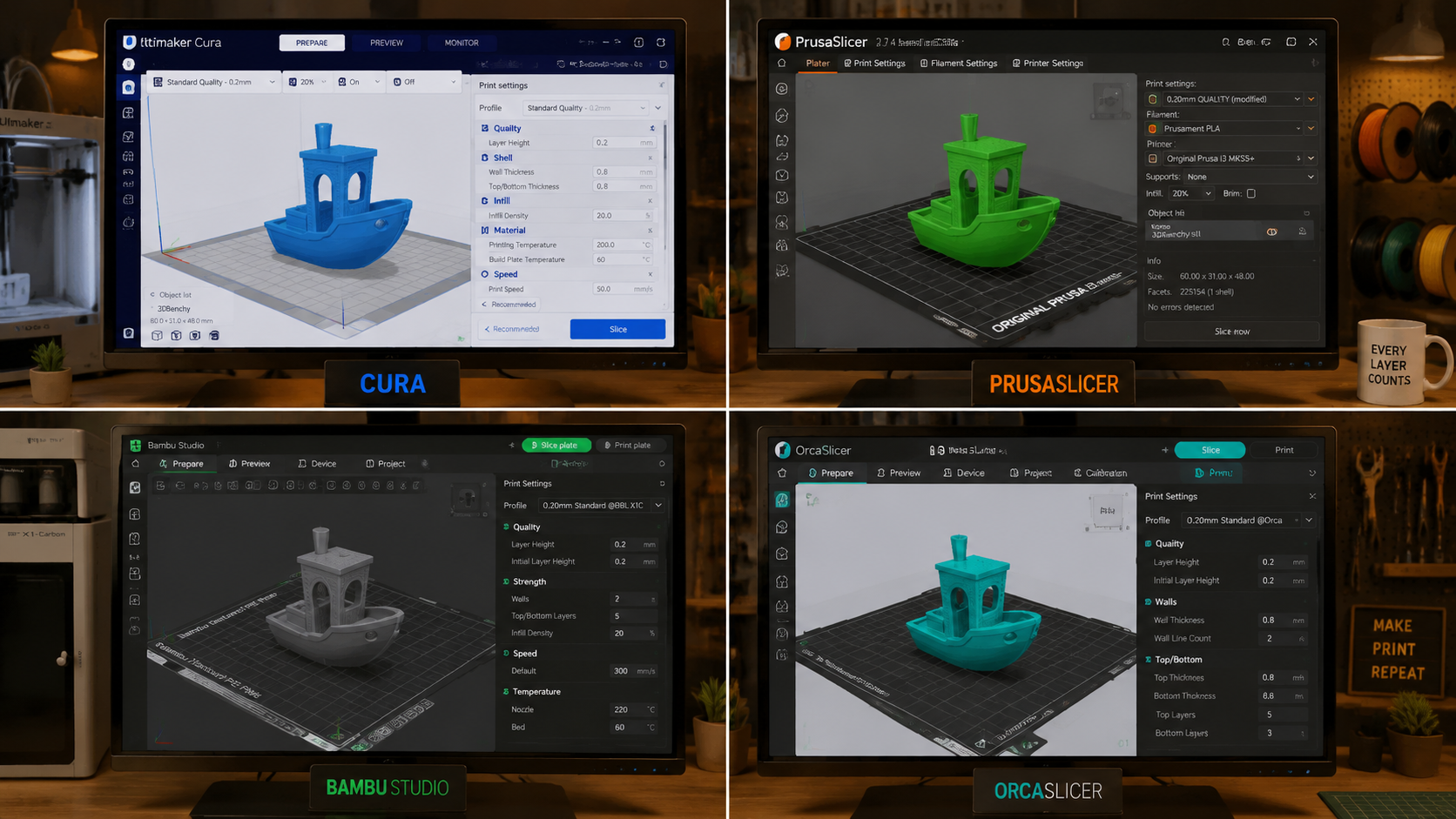
Speed Benchmarks: Which Slicer is Fastest?
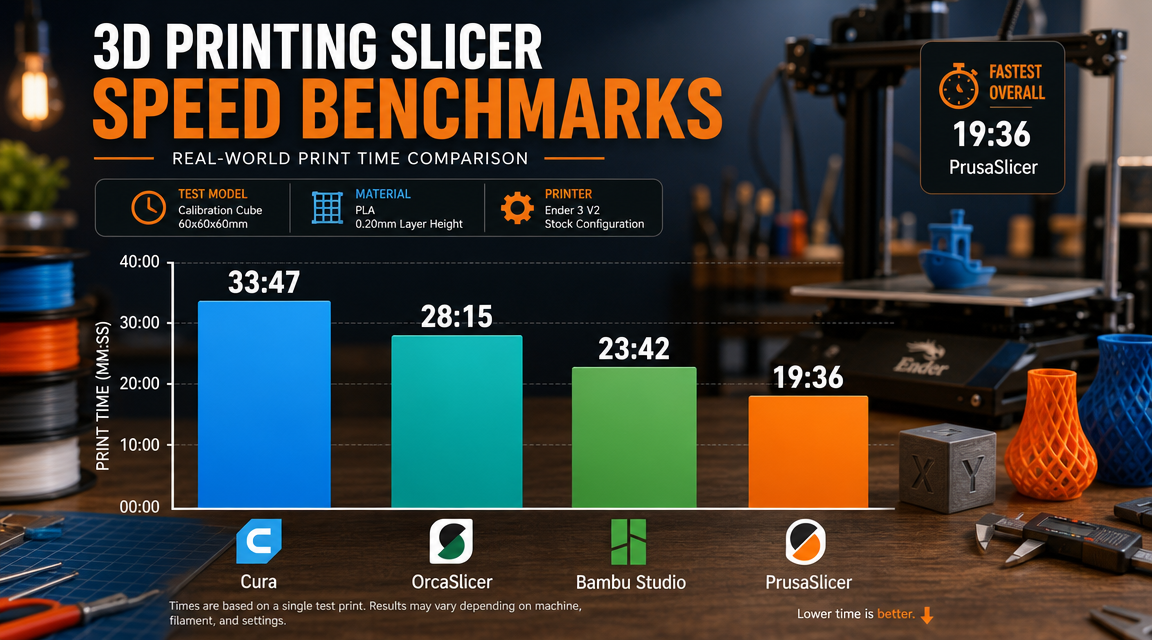
Slicing speed matters most when you iterate settings frequently. A slicer that takes 15 seconds per slice instead of 12 adds up fast when you are dialing in a new filament. Here is how the four contenders compare on a standard Benchy slice with identical settings on an Intel i5-12400:| Slicer | Slice Time (Benchy) | Relative Speed | Engine |
|---|---|---|---|
| UltiMaker Cura 5.11 | 12.4 sec | 2.5x baseline (fastest) | Arachne (Cura Engine) |
| OrcaSlicer 2.3.2 | 13.8 sec | 2.2x baseline | PrusaSlicer-based |
| Bambu Studio 02.05.02.51 | ~13-14 sec | ~2.2x baseline | PrusaSlicer-based |
| PrusaSlicer 2.9.4 | 15.2 sec | 1.8x baseline | Slic3r-based |
A 2-second difference per slice translates to roughly 30 seconds saved per hour of iterative calibration. For a single print job the difference is negligible. For a prototyping session where you slice 20 times, Cura saves about 40 seconds of waiting compared to PrusaSlicer. Source: Benchmarked results published by 3D Printing Tips, 2026.
Feature Comparison: Calibration, Profiles, and Ecosystem Fit
Beyond raw speed, the features that matter most are calibration tools, printer profile coverage, and how well each slicer integrates with your specific hardware and workflow.| Feature | Cura | PrusaSlicer | Bambu Studio | OrcaSlicer |
|---|---|---|---|---|
| Built-in calibration suite | Limited (plugin) | Manual towers | Basic (Lidar-assisted) | Best: temp towers, retraction, PA, max volumetric |
| Printer profiles | 10,000+ | 200+ (Prusa + community) | Bambu only (official) | 400+ (broad multi-brand) |
| Resin slicing | No | Yes (SLA/MSLA) | No | No |
| STEP file import | Plugin | Native | No | No |
| Klipper support | Manual config | Manual config | None | Native (thumbnails, Mainsail/Moonraker) |
| Multi-material | Up to 6 extruders | MMU2S/3S, up to 5 | AMS native | AMS + generic multi-extruder |
| Variable layer height | Yes | Best (most intuitive) | Yes | Yes |
| Plugin/extension ecosystem | Marketplace (largest) | Minimal | None | None |
OrcaSlicer’s Calibration Suite Changes the Game
The single feature that makes OrcaSlicer stand out in 2026 is its one-click calibration workflow. Instead of manually generating temperature towers via post-processing scripts or hunting for calibration STLs, you select the test type, set the parameter range, and the slicer generates the G-code automatically. This includes max volumetric speed calibration, which directly addresses the most common cause of print defects on high-flow hotends.PrusaSlicer’s STEP Import is a Mechanical Engineering Advantage
For functional prints where dimensional accuracy matters, native STEP file import eliminates the STL conversion step. STL files approximate curved surfaces with triangles, which introduces measurable deviation on features like bearing seats or snap-fit joints. STEP keeps the original CAD geometry intact through the entire slicing pipeline.Which Slicer Should You Choose?
Your choice depends on three factors: your printer hardware, your experience level, and the types of prints you make most often.- Bambu Lab printer owner: Use Bambu Studio for daily printing. Add OrcaSlicer for calibration and tuning.
- Prusa printer owner: Use PrusaSlicer. It ships with gold-standard profiles tuned specifically for Prusa hardware.
- Multi-brand farm or mixed fleet: OrcaSlicer is the universal translator. One interface across Creality, Voron, Anycubic, Artillery, and more.
- Klipper user: OrcaSlicer offers native Klipper thumbnail output and Moonraker integration. The others require manual post-processing.
- Engineering / functional prints: PrusaSlicer for STEP import and precise variable layer height control.
- Automation pipeline: Cura has the fastest engine and the most flexible command-line interface for batch operations.
- Resin + FDM dual user: PrusaSlicer handles both workflows in one familiar interface.
- Beginner: Start with OrcaSlicer. Its wizard-based setup and built-in calibration reduce the learning curve significantly.
A Note on Tradeoffs
No single slicer is best for every scenario. Cura’s shrinking development focus means it lags behind on high-speed printing features like scarf seams and advanced Pressure Advance control. Bambu Studio’s hardware lock-in is a deliberate design choice, not a limitation that will be fixed. PrusaSlicer’s interface has not been significantly updated since the Slic3r days, and new users often find OrcaSlicer more approachable. The good news: all four are free, so there is no cost to installing multiple and picking the best tool for each specific print job.Find Print-Ready Models for Any Slicer
Once you have picked your slicer, download free 3MF and STL files tested across all major printer ecosystems on DIY3D.
No account required to browse. Thousands of community-tested designs.
Where DIY3D Fits in Your Slicer Workflow
Choosing a slicer is only half the workflow. The other half is finding models that slice cleanly with your chosen tool. DIY3D is a free, printer-agnostic model library where every upload is available as both 3MF (with embedded slice parameters) and STL (for cross-slicer compatibility). The 3MF format is particularly useful when switching between slicers. A 3MF file downloaded from DIY3D can contain the exact print profile settings the uploader used, including layer height, infill percentage, support configuration, and filament profile. Open it in OrcaSlicer, Bambu Studio, or PrusaSlicer, and the settings carry over. This removes the guesswork from dialing in someone else’s design.DIY3D distributes models with embedded project_settings.config files that store the full slice profile. Download a 3MF file, open it in your preferred slicer, verify the settings, and print. No manual profile hunting required.
Frequently Asked Questions About 3D Printing Slicers
The best slicer for 3D printing in 2026 depends on your hardware. OrcaSlicer is the strongest all-around choice for most makers because of its calibration tools and broad printer support. Bambu Studio is best for Bambu Lab owners. PrusaSlicer is ideal for Prusa users and anyone needing FDM plus resin slicing in one app. Cura remains the fastest engine for automation pipelines.
OrcaSlicer is the best slicer for beginners in 2026 because its wizard-based setup and one-click calibration tools reduce the initial learning curve. PrusaSlicer is a strong second choice with cleaner default profiles that produce good results without tweaking. Cura has the most tutorials available online if you prefer learning from video guides.
OrcaSlicer has better built-in calibration, broader non-Bambu printer support, and active community development, while Cura has a faster slicing engine (12.4s vs 13.8s on Benchy) and a much larger plugin ecosystem. OrcaSlicer is generally better for multi-brand farms and Klipper users, while Cura still wins for automation workflows and enterprise environments.
Yes, slicer choice directly affects print quality because different engines handle toolpath generation, bridging, overhang cooling, and seam placement differently. A well-tuned profile in any of the four major slicers will outperform a bad profile in the most expensive software. The slicer matters less than calibrating your settings correctly for each filament type.
UltiMaker Cura 5.11 is the fastest slicer engine in 2026, slicing a Benchy in 12.4 seconds on an Intel i5-12400. OrcaSlicer follows at 13.8 seconds, and PrusaSlicer completes the same job in 15.2 seconds. In real-world use, the speed difference is only noticeable during iterative calibration sessions rather than single prints.
Yes, but it requires manually configuring printer profiles and lacks official support. OrcaSlicer is a Bambu Studio fork that was created specifically to address this limitation. It keeps the same modern interface but adds full support for non-Bambu printers, making it the better choice if you own hardware from Creality, Voron, Anycubic, or other brands.
Cura uses its own Arachne slicing engine and offers the largest printer profile library (10,000+ profiles), a plugin marketplace, and the fastest slice times. PrusaSlicer is derived from Slic3r and excels at surface quality, variable layer height editing, and multi-material workflows. It also handles resin printing natively. Both are free and open-source with active development.
Conclusion: Start Printing with the Right Slicer
The best slicer for 3D printing is the one that matches your printer, your workflow, and your willingness to calibrate. OrcaSlicer offers the best balance of features and flexibility for most makers. Bambu Studio is unbeatable for Bambu Lab owners. PrusaSlicer handles FDM and resin in one package with professional-grade control. Cura is still the fastest engine on the market. All four are free, so download the ones that fit your hardware and start printing.Download Free 3MF and STL Models
DIY3D offers a growing library of print-ready models with embedded slice settings ready for any slicer. Browse, download, and print for free.
Printer-agnostic community. No paywalls. Free for everyone.
Comparison data sourced from 3D Printing Tips (2026 slicer benchmarks) and All3DP (slicer feature comparisons).
